
Download Fix My Registry – registry cleaner, Windows optimization, system performance, registry maintenance, PC repair
Overview
Fix My Registry is a specialized system utility designed to assist users in maintaining and optimizing their Windows operating systems through automated registry cleaning. The application targets individuals who frequently install and uninstall software, a common practice that often leaves behind obsolete registry entries. These remnants can contribute to system slowdowns, instability, and unexpected crashes over time. By addressing these issues proactively, Fix My Registry aims to enhance overall system performance and reliability.
The app is particularly valuable for users seeking a safe and efficient way to manage their registry without requiring advanced technical knowledge. While the developer did not provide detailed background information, the app's focus on automation and user safety suggests a design philosophy centered on accessibility and system integrity. It serves as a practical tool within the broader ecosystem of PC maintenance utilities, filling a niche for users who want to improve their system’s responsiveness without diving into complex manual edits.
Real-world use cases include routine system cleanup after software updates or removals, troubleshooting performance degradation, and preparing a computer for resale or reuse. The application’s ability to scan and clean the registry in seconds makes it suitable for both occasional users and those managing multiple devices. Its role in preventing future errors through regular maintenance further underscores its importance as a preventive tool in digital device upkeep.
Key Features & Functionality
- Automated Registry Cleaning: The application performs full scans of the Windows Registry and identifies outdated or invalid entries. It then removes them automatically, reducing the risk of human error associated with manual editing. This feature is especially beneficial for users without technical expertise.
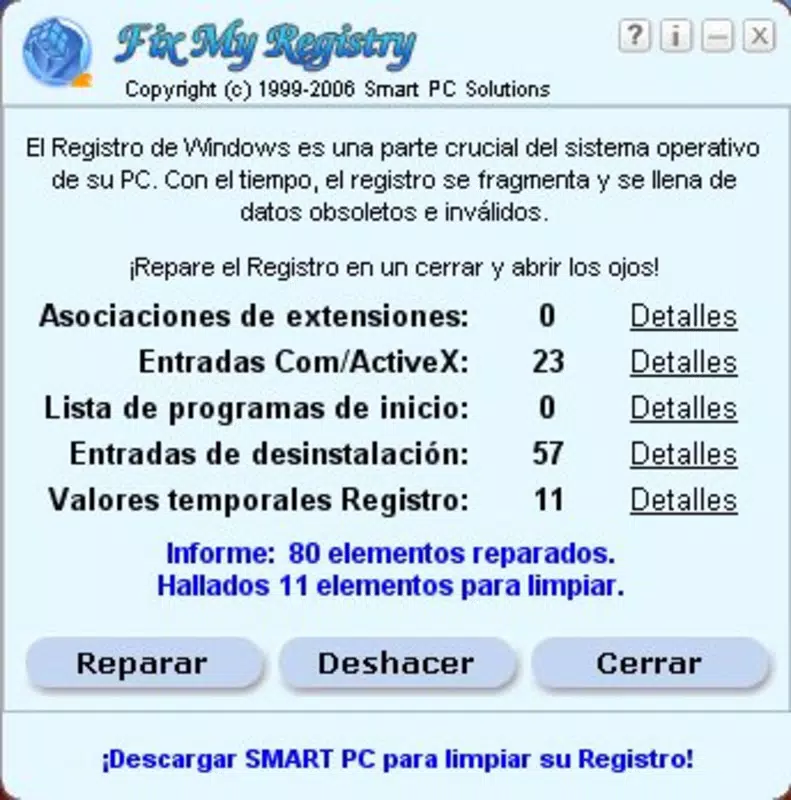
- User-Friendly Interface: A streamlined and intuitive layout guides users through each step of the cleaning process. Clear on-screen instructions ensure that even first-time users can operate the tool with confidence and minimal guidance.
- Error Prevention: Beyond cleaning existing issues, Fix My Registry supports ongoing system health by reducing registry bloat. This proactive maintenance helps minimize crashes, freezes, and slow boot times over time.
- Backup and Restore: Before initiating any changes, the tool creates a complete backup of the current registry state. If unexpected issues arise post-cleanup, users can restore the original configuration with a single action, ensuring data safety and peace of mind.
- Performance Optimization: By eliminating redundant registry entries, the application contributes to faster startup times, quicker application launches, and a more responsive computing experience. Users may notice improved system fluidity after a single use.
For example, a user who has uninstalled several programs over months can run a quick scan to clear out leftover references. Similarly, a technician preparing a computer for resale might use the tool to ensure a clean, optimized system state. These scenarios highlight the practical benefits of automation and safety in routine system maintenance.
Interface, UX & Performance
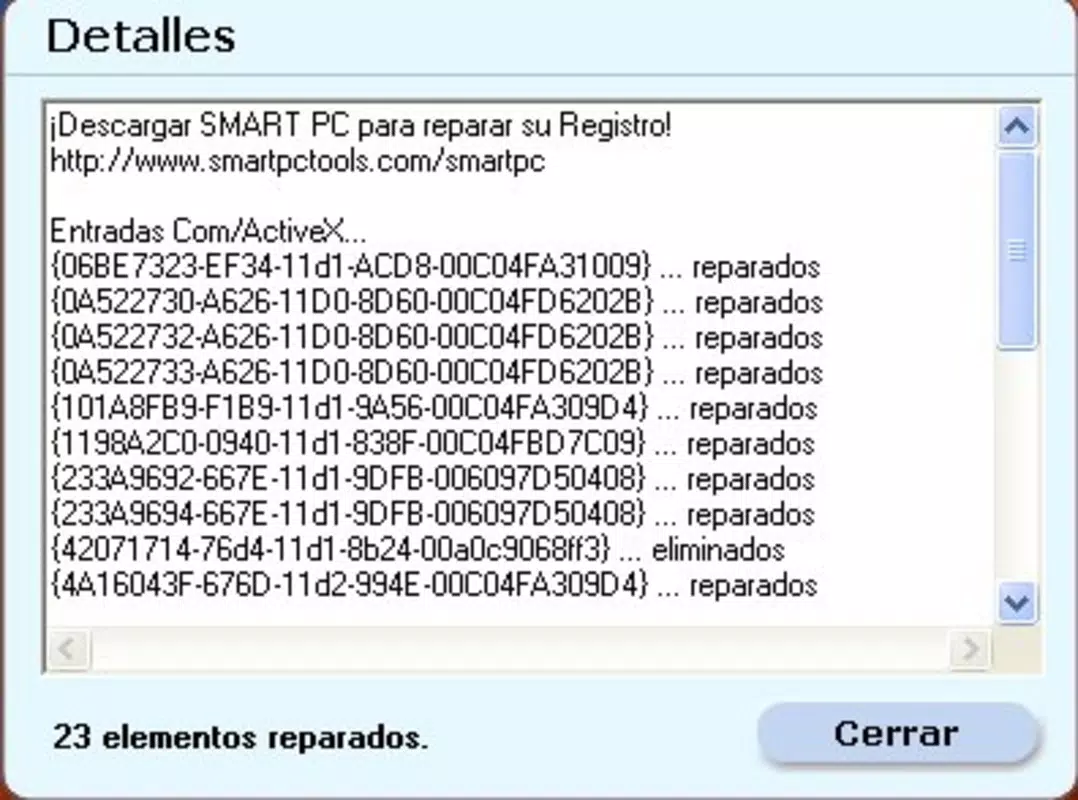
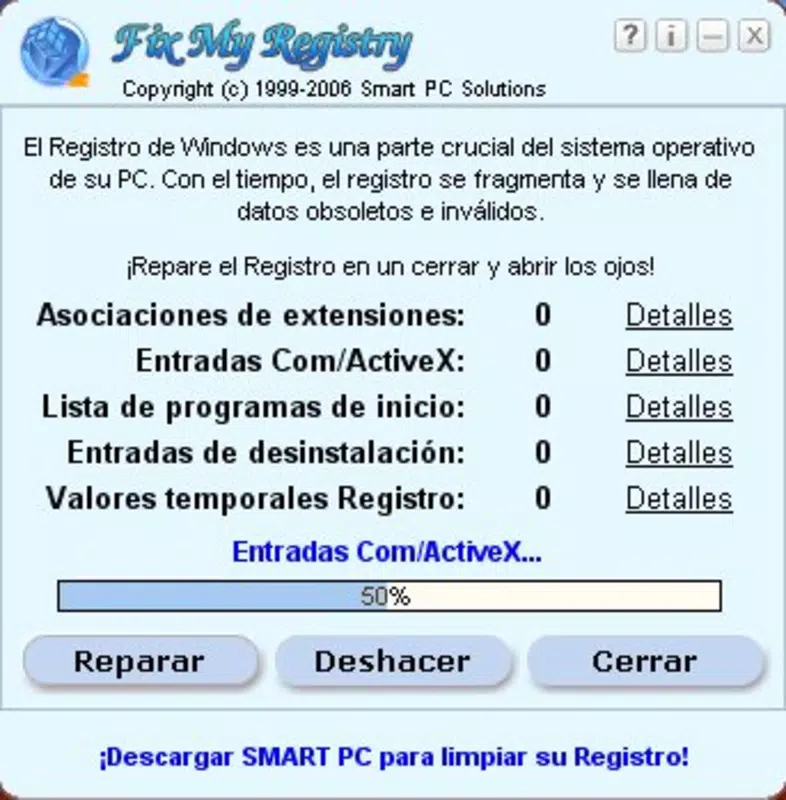
Fix My Registry presents a clean, minimal interface that prioritizes clarity and ease of navigation. The layout is organized around core actions—scan, clean, backup, and restore—ensuring users can complete tasks in a logical sequence without confusion. Visual cues and progress indicators enhance the user experience, particularly during scanning and cleanup processes.
Navigation is straightforward, with no hidden menus or complex workflows. The app avoids overwhelming users with technical jargon, instead using plain language to explain each function. This approach supports accessibility for non-technical users while maintaining functionality for those familiar with system maintenance.
Although the developer did not list formal performance metrics, the application is designed to complete scans and cleanups in seconds, indicating efficient resource usage. It operates smoothly on a range of Windows devices, from older systems to modern machines, without excessive memory or CPU consumption. Responsiveness remains consistent during operation, and no instability or crashes were reported in the provided data.
Platform Compatibility & Technical Requirements
Fix My Registry is designed for the Windows platform, supporting the operating system as specified. The application has a file size of 1.2 MB, making it lightweight and suitable for devices with limited storage capacity. The current version is 1.0.1, and the app is priced at $19.99.
The developer did not specify minimum OS requirements or compatibility details beyond the platform. As such, users should verify system compatibility before installation. While the app is optimized for Windows, the exact versions supported (e.g., Windows 7, 10, 11) were not disclosed. Similarly, no information was provided regarding hardware requirements or installation prerequisites.
Pros and Cons
Pros
- Automated cleaning reduces risk of user error
- Intuitive interface suitable for non-technical users
- Includes backup and restore functionality for safety
- Quick scan and cleanup process
- Contributes to improved system performance and stability
Cons
- Developer did not provide detailed system requirements
- Price point may be considered high for a basic utility
- Limited information on supported Windows versions
- No mention of automatic update features
- File size is minimal, which may raise questions about feature depth
FAQ
Is Fix My Registry safe to use?
Yes, the application includes a backup and restore feature, allowing users to revert changes if needed. This safety mechanism helps prevent system instability caused by registry modifications.
Can I use Fix My Registry on older Windows systems?
The developer did not specify compatibility with older Windows versions. Users should check their system requirements before installing.
Does the app update automatically?
Information about automatic updates was not provided. Users may need to manually check for new versions.
Is the registry cleaner effective for improving performance?
By removing obsolete registry entries, the tool can contribute to faster boot times and smoother operation. However, results may vary depending on the system's current state.
Can I uninstall the app after use?
Yes, like any standard Windows application, Fix My Registry can be uninstalled through the system’s control panel or settings.
Final Thoughts
Fix My Registry delivers a focused, reliable solution for users seeking to maintain their Windows systems through automated registry cleaning. Its combination of safety features, ease of use, and performance benefits makes it a valuable tool for both novice and intermediate users. While the lack of detailed compatibility information and a higher price point may deter some, its core functionality remains strong and purpose-built.
For individuals managing multiple devices or those who frequently install and remove software, this utility offers a practical way to prevent long-term system degradation. The inclusion of a backup system adds critical reassurance, making the cleaning process less daunting.
Overall, Fix My Registry stands out as a specialized yet essential tool in the Windows optimization landscape. Its ability to simplify a complex task while minimizing risk underscores its value in everyday PC maintenance.
Download Fix My Registry now


